Introduction
Computer/PC Screen যতই Fresh থাকবে আপনার কাজের গতি ঠিক ততই বৃদ্বি পাবে। আজকে মূলত PC Screen কীভাবে Professional Look দিবেন সেই Methods দেখানোর চেষ্টা করব।

আপনার নিউ PC Screen দেখতে এইরকম হবে -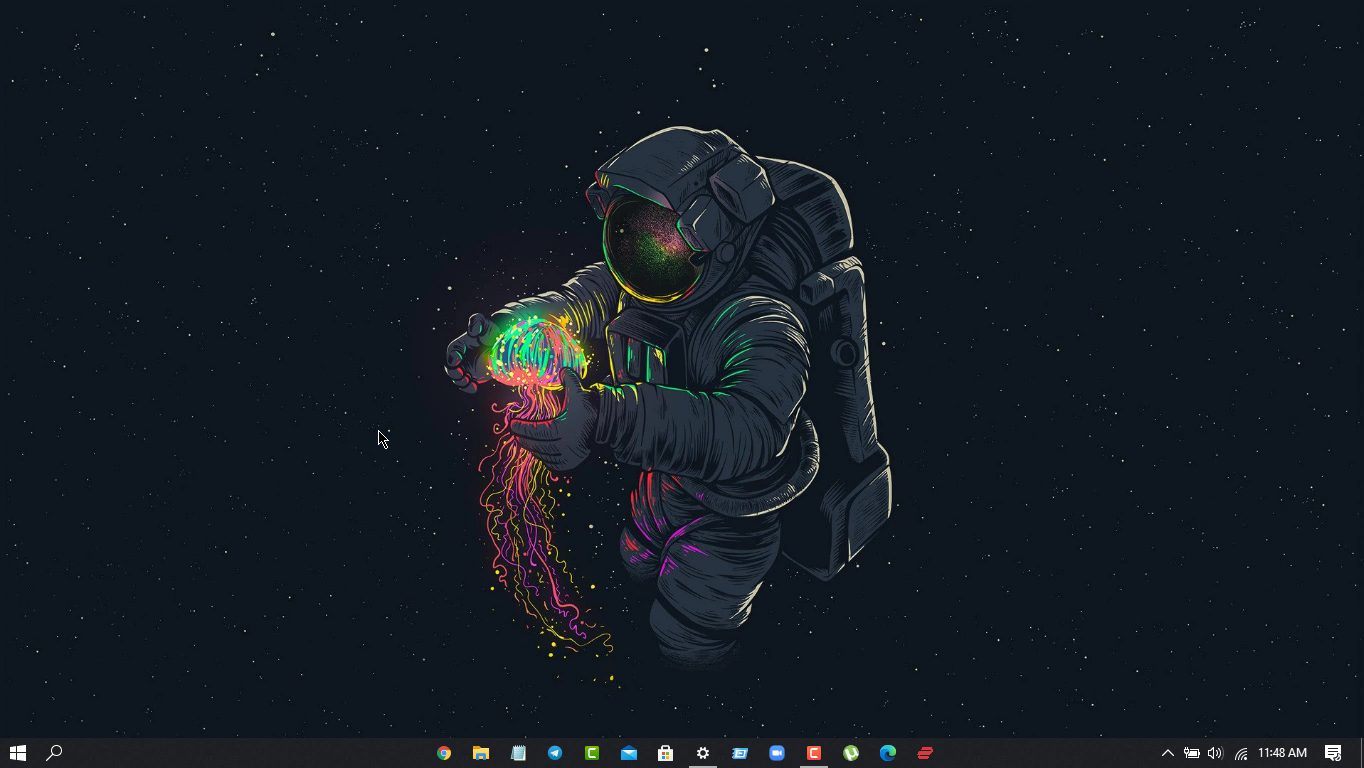
Instruction
- প্রথমে PC তে Right Click করে View >> Show Desktop Icon এ Click করুন এতে PCর সব Shortcut icon remove হয়ে যাবে

- এবার Taskbar Customize এর জন্য Mouse cursorটি taskbar এ নিয়ে Right Click করুন "Taskbar" এ Click করুন

- "Use Small TaskBar" Button On করে দিন
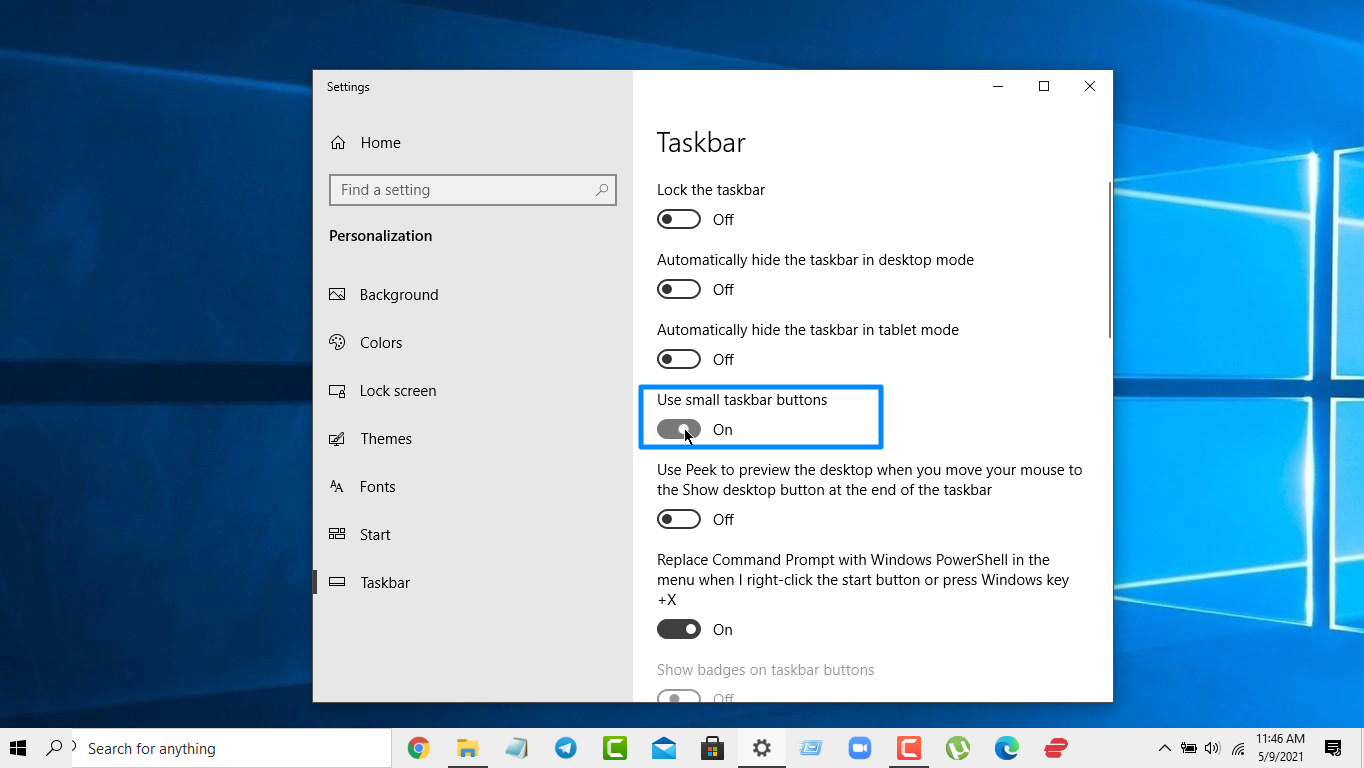
- এরপর নিচে Scroll করে Combine taskbar Button এ "Always hide level" Select করুন

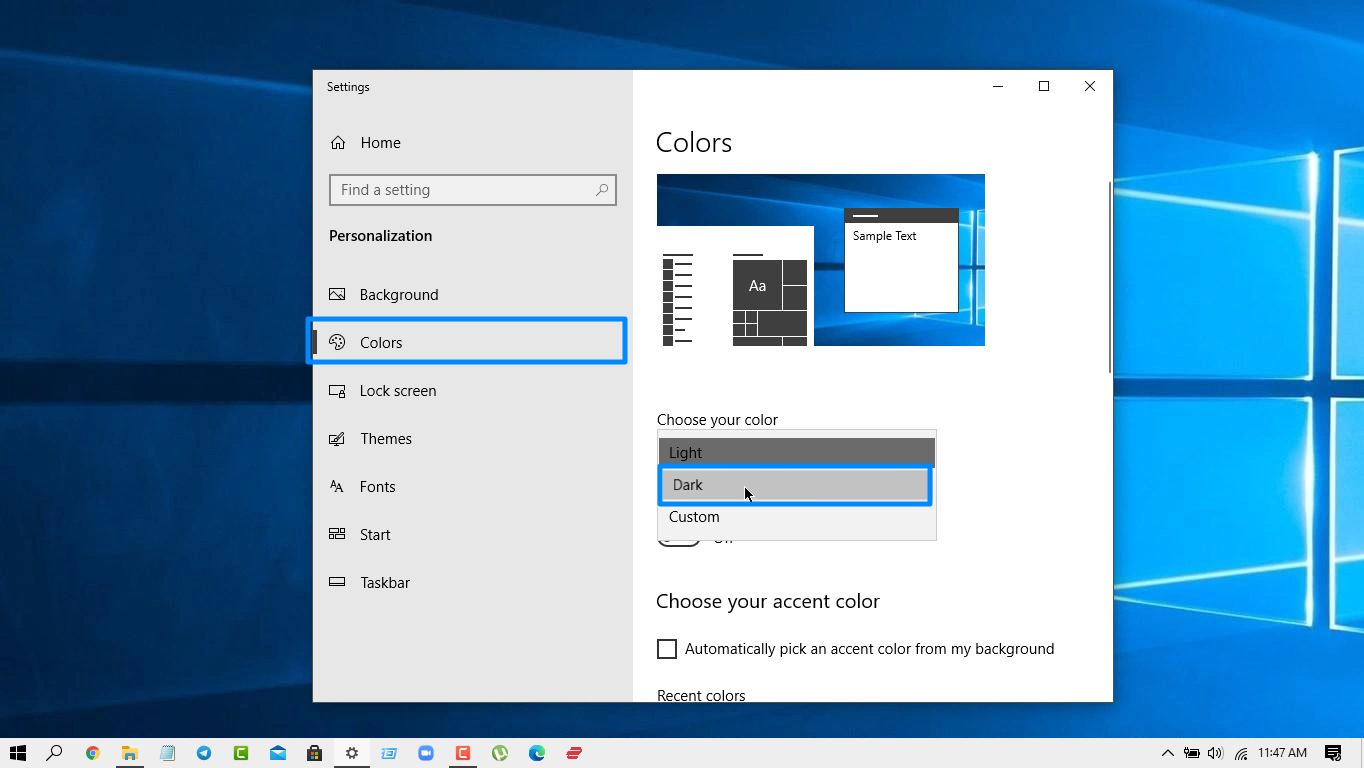
- এরপর Color Menu Select করে Dark এ Click করুন
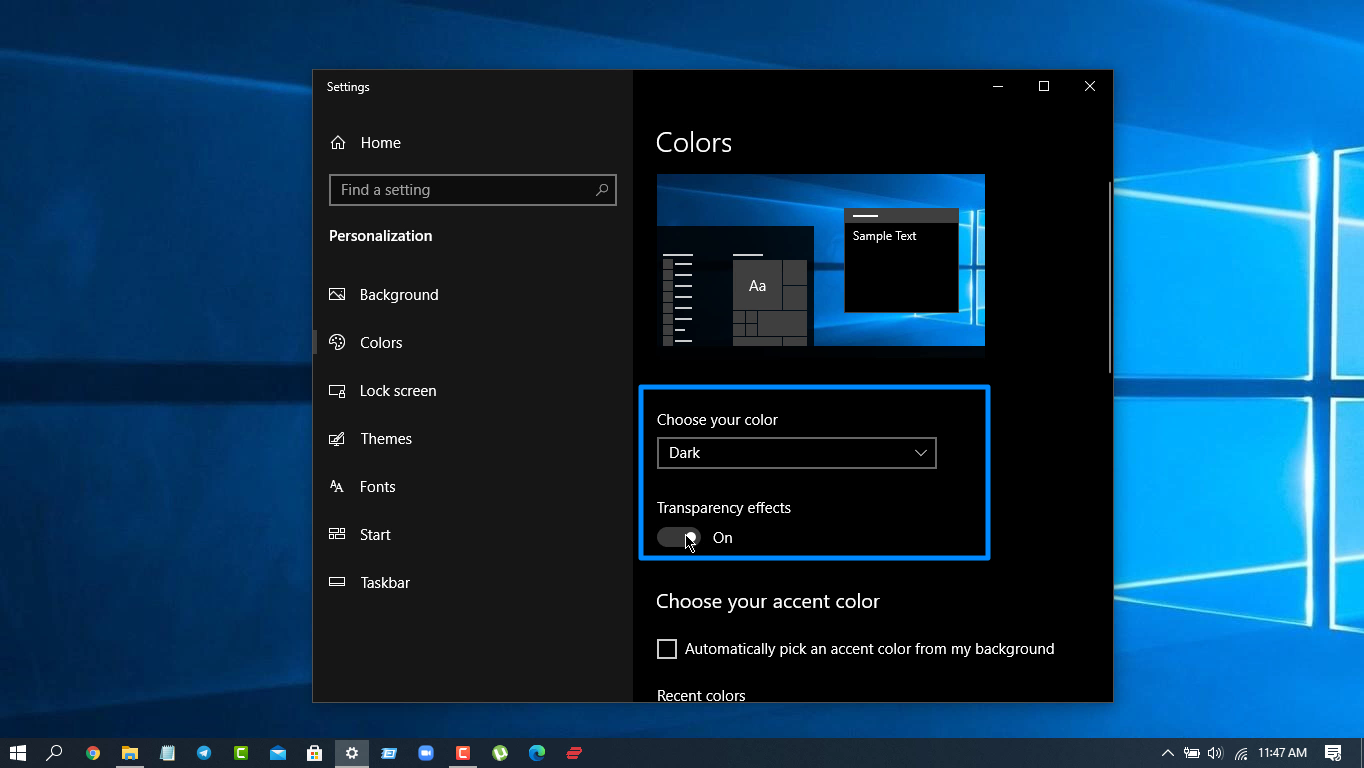
- এর নিচের Transparent Effect On করে দিবেন
- এবার Taskbar এর Icon Center এ নিয়ে আসার জন্য Taskbar এ Mouse Cursor রেখে Right Click করে Mark করা BOX এর সব Itemগুলো Uncheck/untic করে দিন

- এরপর Toolbar Option এ Click করে Link Select করুন
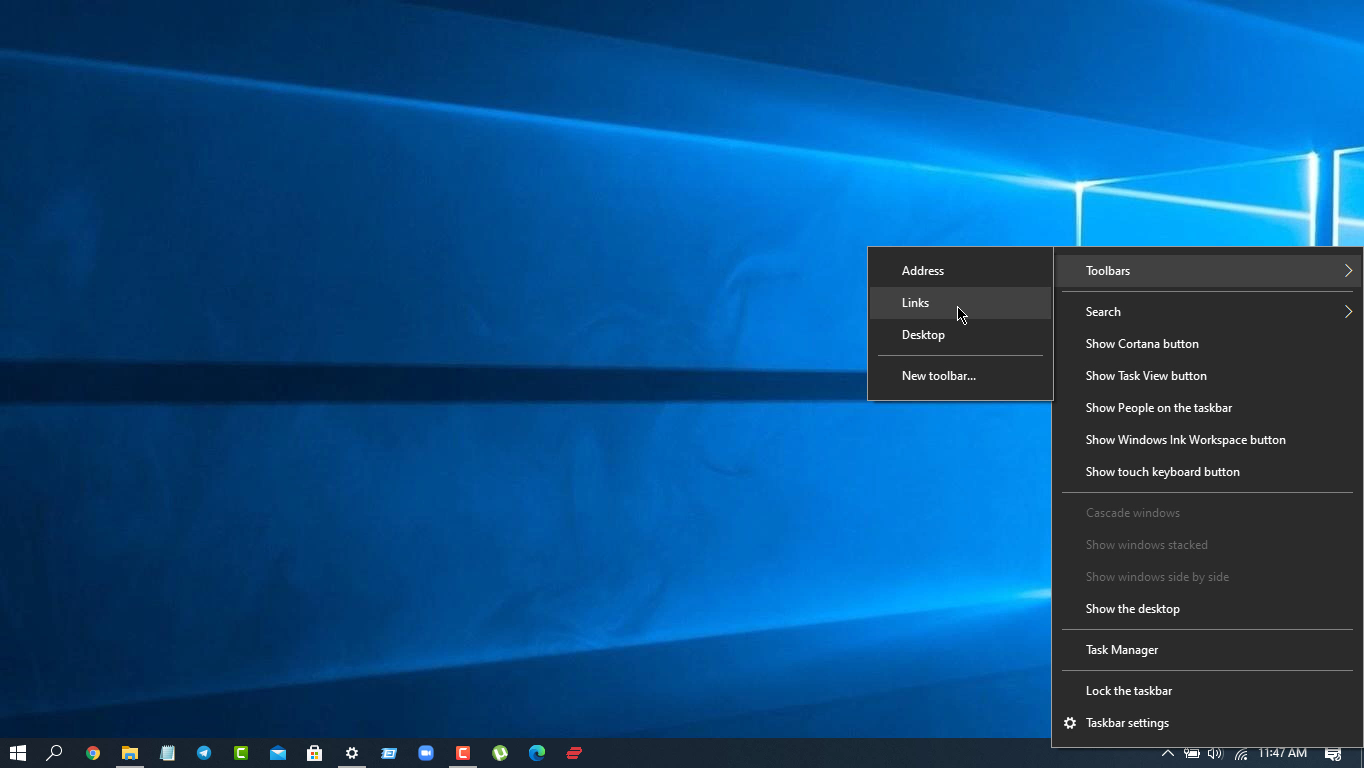
- Lock the taskbar Untic করে দিন

- তারপর taskbar এ Link এ Mouse Pointer রেখে Drag করে Windows Icon পর্যন্ত নিয়ে যান
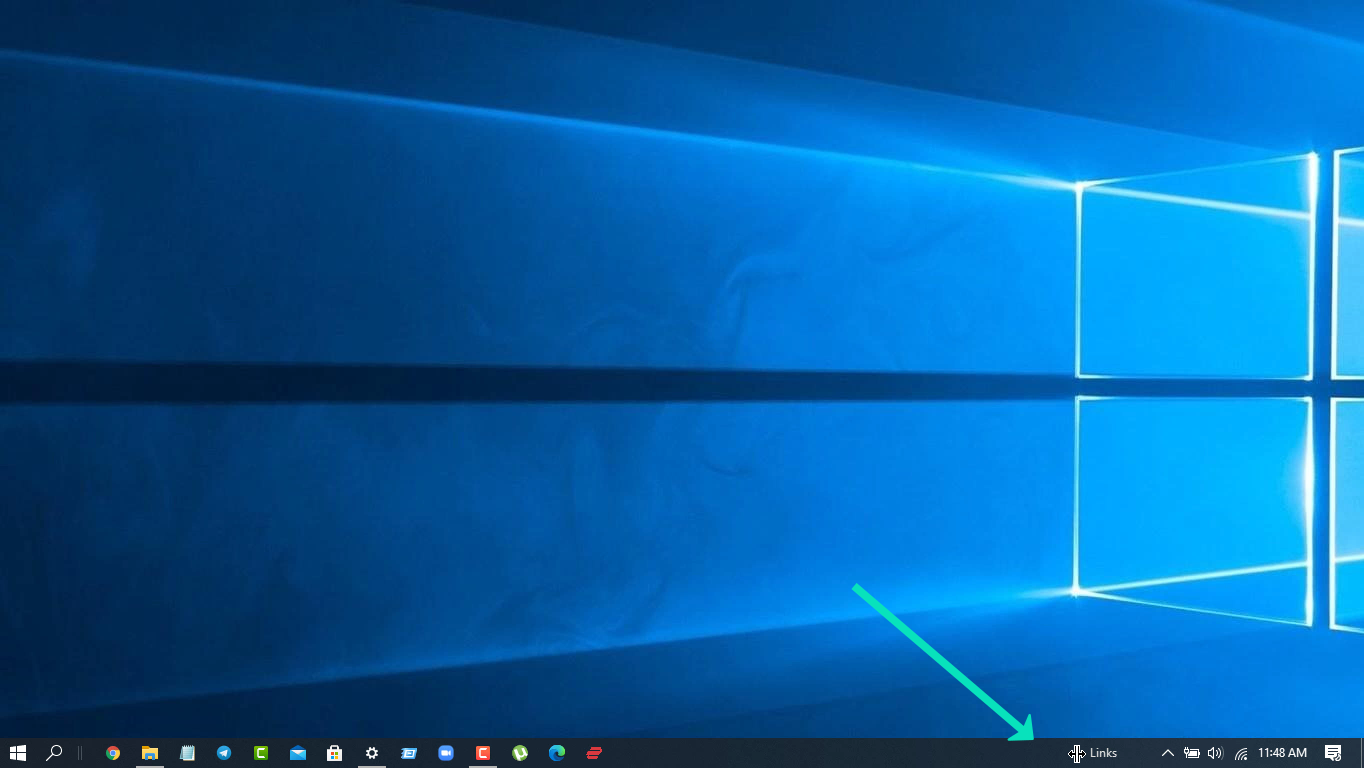
- এবার দেখবেন Iconগুলো ডানপাশে চলে এসেছে আবার Drag করে Center এ নিয়ে আসুন
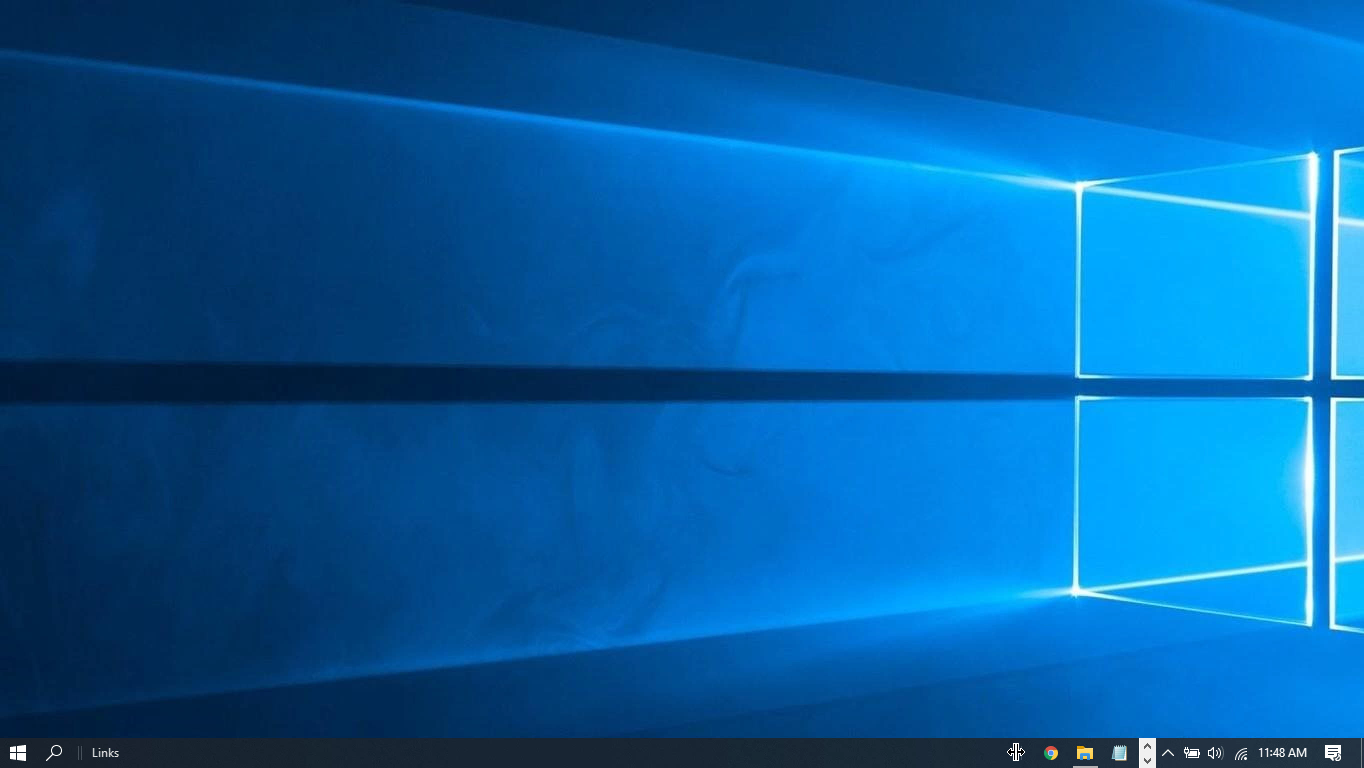
- Center এ নিয়ে আসার পর taskbar Menu Open করে Show Title এ Untic করুন

- তারপর আবার taskbar Menu Open করে Lock The taskbar এ Click করুন
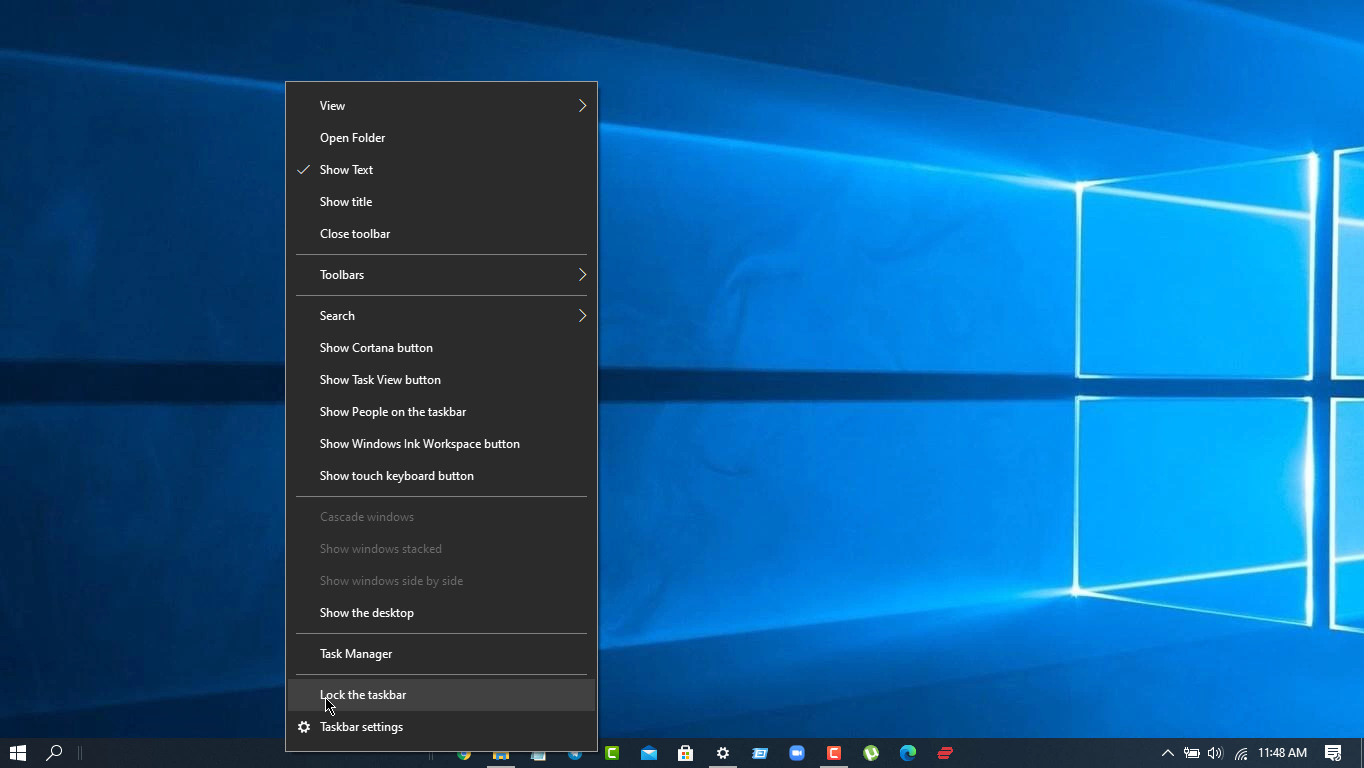
- ব্যস Clean PC Ready, কোন Software Intallation ছাড়াই
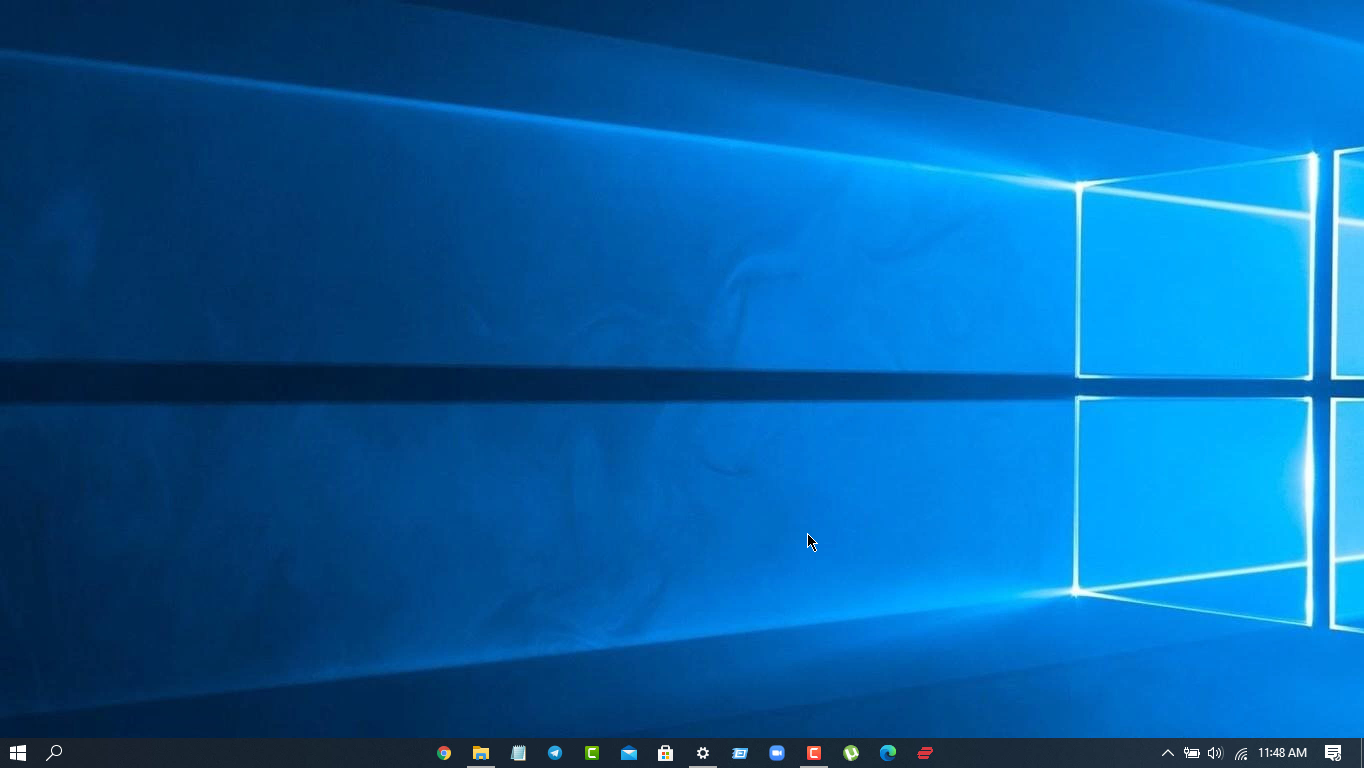
- এখন আপনার পছন্দমত Wallpaper Set করে নিন।
Conclusion
এইভাবেই খুব Easily Windows Customize করতে পারবেন কোন ধরনের Software install করা ছাড়াই। Stay Tuned.